![[图文教程]老端添加幻魂武器教程-资源站](https://www.999zy.top/wp-content/uploads/2026/06/b4794cdc9dda9480b55c9b20c1d068cf-1-800x608.jpg)



前言:目前官方客户端所出的幻魂武器补丁数据都不一定能编译到老端,也就是说可能模型显示不出来。又或者特效显示不完整
所以一般我们都是先获取别人版本的补丁。再把他版本正常显示的武器数据提取过来即可
取别人服的补丁参考 一个技巧偷别人服的补丁
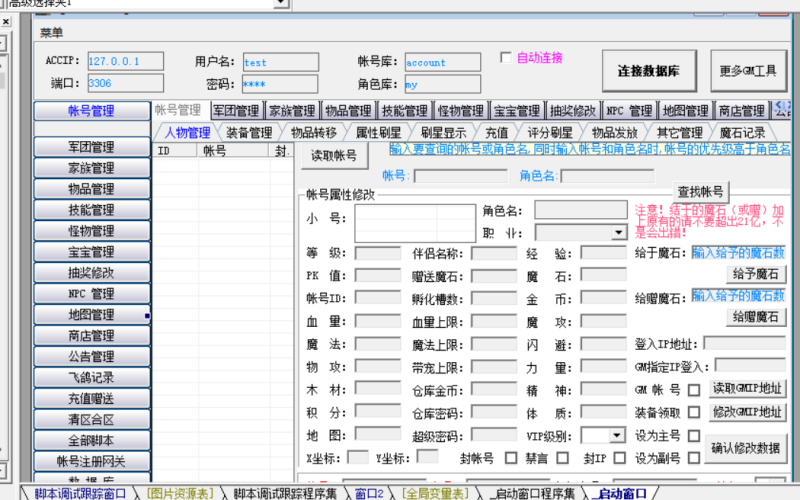
取完补丁后我们还需要一个GM工具点击下载小熊猫工具
把源补丁ini目录里面的itemtype.dat复制到工具目录下读取
![图片[1]-[图文教程]老端添加幻魂武器教程-资源站](https://www.999zy.top/wp-content/uploads/2026/06/b4794cdc9dda9480b55c9b20c1d068cf-1-1024x779.jpg)
读取完数据再手动查找你需要添加的武器名称,比如“炽夜审判·战刃”
![图片[2]-[图文教程]老端添加幻魂武器教程-资源站](https://www.999zy.top/wp-content/uploads/2026/06/77d1af29f4a2a07f61c27fb880a5f459-1-1024x779.jpg)
我们只需要记住5个ID分别是如上图所示:410860,410861,410862,410863,410864,对应的是白品,良品,上品,精品,极品
我们开始以上面5个ID开始查找对应补丁
首先是在背包显示的图片配置,我们打开源补丁目录下的ani目录itemminicon.ani是代表在背包显示的图片配置,我们找到410860,410861,410862,410863,410864。
很明显我们也知道了对应的路径就是补丁目录下的data/ItemMinIcon/415390.dds
![图片[3]-[图文教程]老端添加幻魂武器教程-资源站](https://www.999zy.top/wp-content/uploads/2026/06/0f43144b0009d07aadf7c42fa031b259-1024x599.jpg)
然后我们再打开mapitemicon.ani继续查找410860,410861,410862,410863,410864。这是掉落在地上显示的图片配置data/MapItemIcon/415390.dds
![图片[4]-[图文教程]老端添加幻魂武器教程-资源站](https://www.999zy.top/wp-content/uploads/2026/06/cf9c880db1674156d6e68931ad91a0e1-1024x599.jpg)
根据这两个目录继续打开源补丁目录下的data/ItemMinIcon/和data/MapItemIcon/找到415390.dds就是背包以及地上所显示的图片
![图片[5]-[图文教程]老端添加幻魂武器教程-资源站](https://www.999zy.top/wp-content/uploads/2026/06/7400903d1f162367f25a953d0dbc5b0a-1-1024x739.jpg)
![图片[6]-[图文教程]老端添加幻魂武器教程-资源站](https://www.999zy.top/wp-content/uploads/2026/06/9ed081532048e326340e1e98d1dc8c9d-1024x739.jpg)
那么在背包以及在地面显示的就提取完成了
接下来开始找武器模型,贴图,极品光效
打开源补丁目录下的ini目录找到weapon.ini开始查找410860,410861,410862,410863,410864。等5把武器的模型以及贴图配置
![图片[7]-[图文教程]老端添加幻魂武器教程-资源站](https://www.999zy.top/wp-content/uploads/2026/06/96f258602c09a7d52ea776b1d7801f19-1024x905.jpg)
根据每一把武器的每一组数据下的
Mesh0=415390 对应3dobj.ini
Texture0=415390 对应3dtexture.ini
在对应3dobj.ini与对应3dtexture.ini里面可以找到以下数据
3dobj.ini文件里面的415390=c3/effect/weapon/415390+v_r_weapon/14.c3 武器模型
3dtexture.ini文件里面的415390=c3/effect/weapon/415390+v_r_weapon/12_1.dds 模型贴图
那么上面的就算是白品到精品的数据,想要极品武器发光我们还需要单独配置。请往下看
打开源补丁目录下的ini目录找到Action3DEffect.ini打开后我们需要注意查找方向是极品武器
就是把我们需要查找的极品武器ID410864改成410.864查找
![图片[8]-[图文教程]老端添加幻魂武器教程-资源站](https://www.999zy.top/wp-content/uploads/2026/06/3b2de4c364629c6536bb3ff4005474b9-1-1024x646.jpg)
上图所显示数据例1.999.410.864=415390+v_r_weapon
1是男2是女,999是所有武器,410.864是武器ID,415390+v_r_weapon就是特效光效名称
我们在打开源补丁目录下的ini目录找到3DEffect.ini查找特效名415390+v_r_weapon
![图片[9]-[图文教程]老端添加幻魂武器教程-资源站](https://www.999zy.top/wp-content/uploads/2026/06/e65e10bfeef3efb7b55e356c07a087eb-1-1024x879.jpg)
[415390+v_r_weapon]
Amount=7
EffectId0=103032
TextureId0=109589
ASB0=5
ADB0=6
EffectId1=103033
TextureId1=109590
ASB1=5
ADB1=2
EffectId2=103035
TextureId2=109592
ASB2=5
ADB2=6
EffectId3=103036
TextureId3=109593
ASB3=5
ADB3=2
EffectId4=103039
TextureId4=109596
ASB4=5
ADB4=6
EffectId5=103046
TextureId5=109606
ASB5=5
ADB5=2
EffectId6=103047
TextureId6=109607
ASB6=5
ADB6=2
Delay=0
LoopTime=99999999
FrameInterval=33
LoopInterval=0
OffsetX=0
OffsetY=0
OffsetZ=0
在这一组特效名称下面可以看到Amount=7那么就是7组特效模型与贴图
例如对应的
EffectId0=103032 对应3DEffectObj.ini里面的103032=c3/effect/weapon/415390+v_r_weapon/1.c3
TextureId0=109589 对应3dtexture.ini里面的109589=c3/effect/weapon/415390+v_r_weapon/1.dds
上面数据只是做参考,一共7组特效数据都要提取
![图片[10]-[图文教程]老端添加幻魂武器教程-资源站](https://www.999zy.top/wp-content/uploads/2026/06/5f7665f261aeef6fd59d33bff17cbbd1-1024x557.jpg)
![图片[11]-[图文教程]老端添加幻魂武器教程-资源站](https://www.999zy.top/wp-content/uploads/2026/06/d537071a84ec3cff638b00e516335bee-1-1024x557.jpg)
我们打开源补丁目录下的ini目录找到itemeffect.ini打开补充上品,精品,极品武器在背包的背景光效以及武器丢在地上的音效
410860 other48 other38 NULL NULL sound/DropFal.wav
410861 other48 other38 other55 NULL sound/DropFal.wav
410862 other48 other38 other56 NULL sound/DropFal.wav
410863 other48 other38 other53 NULL sound/DropFal.wav
![图片[12]-[图文教程]老端添加幻魂武器教程-资源站](https://www.999zy.top/wp-content/uploads/2026/06/52b840951bdfad5c67867b1c78816228-1024x557.jpg)
打开源补丁目录下的ini目录找到ItemAddition.ini配置魔魂+1到+12的属性
410860 1 0 133 118 0 0 0 0 0 0
410860 2 0 164 148 0 0 0 0 0 0
410860 3 0 245 222 0 0 0 0 0 0
410860 4 0 327 296 0 0 0 0 0 0
410860 5 0 409 370 0 0 0 0 0 0
410860 6 0 491 444 0 0 0 0 0 0
410860 7 0 573 518 0 0 0 0 0 0
410860 8 0 654 592 0 0 0 0 0 0
410860 9 0 818 740 0 0 0 0 0 0
410860 10 0 982 888 0 0 0 0 0 0
410860 11 0 1227 1110 0 0 0 0 0 0
410860 12 0 1636 1480 0 0 0 0 0 0
注意这里的属性数据要跟你数据库下的cq_itemaddition表要一样
![图片[13]-[图文教程]老端添加幻魂武器教程-资源站](https://www.999zy.top/wp-content/uploads/2026/06/c61eeab96cbe20862440d5d0c9c6e204-1-1024x557.jpg)
数据库cq_itemtype表添加以下物品数据内容
410860 炽夜审判·战刃 20 0 125 0 0 0 0 0 0 0 265885 0 1512 1368 0 0 0 0 0 9900 9900 0 0 0 0 0 0 0 0 0 800 84 0 0 0 0 0 0 0 0 0 0 0 0 0 0 0 0 0 0
410861 炽夜审判·战刃 20 0 125 0 0 0 0 0 12 0 265885 0 1588 1436 0 0 0 0 0 9900 9900 0 0 0 0 0 0 0 0 0 800 84 0 0 0 0 0 0 0 0 0 0 0 0 0 0 0 0 0 0
410862 炽夜审判·战刃 20 0 125 0 0 0 0 0 12 0 265885 0 1739 1573 0 0 0 0 0 9900 9900 0 0 0 0 0 0 0 0 0 800 84 0 0 0 0 0 0 0 0 0 0 0 0 0 0 0 0 0 0
410863 炽夜审判·战刃 20 0 125 0 0 0 0 0 12 0 265885 0 1966 1778 0 0 0 0 0 9900 9900 0 0 0 0 0 0 0 0 0 800 84 0 0 0 0 0 0 0 0 0 0 0 0 0 0 0 0 0 0
410864 炽夜审判·战刃 20 0 125 0 0 0 0 0 12 0 265885 0 2268 2052 0 0 0 0 0 9900 9900 0 0 0 0 0 0 0 0 0 800 84 0 0 0 0 0 0 0 0 0 0 0 0 0 0 0 0 0 0
数据库cq_itemaddition表添加以下魔魂+1到+12数据内容
3085 410860 1 0 133 118 0 0 0 0 0 0
3086 410860 2 0 164 148 0 0 0 0 0 0
3087 410860 3 0 245 222 0 0 0 0 0 0
3088 410860 4 0 327 296 0 0 0 0 0 0
3089 410860 5 0 409 370 0 0 0 0 0 0
3090 410860 6 0 491 444 0 0 0 0 0 0
3091 410860 7 0 573 518 0 0 0 0 0 0
3092 410860 8 0 654 592 0 0 0 0 0 0
3093 410860 9 0 818 740 0 0 0 0 0 0
3094 410860 10 0 982 888 0 0 0 0 0 0
3095 410860 11 0 1227 1110 0 0 0 0 0 0
3096 410860 12 0 1636 1480 0 0 0 0 0 0
上面的3085,3086,3087这些是排序ID注意不能跟你cq_itemaddition表重复就行了
![图片[14]-[图文教程]老端添加幻魂武器教程-资源站](https://www.999zy.top/wp-content/uploads/2026/06/17169587315172-1.png)










暂无评论内容